

About NerdNOS
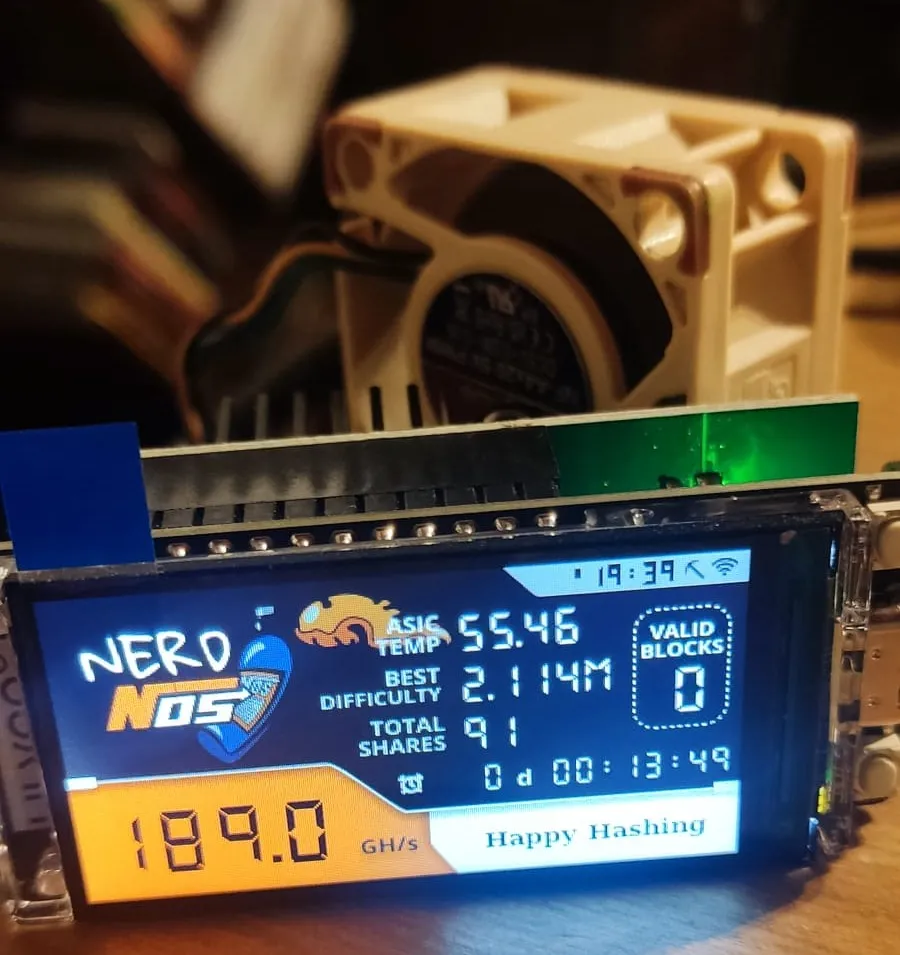
The NerdNOS is an attachment board for the Nerdminer and boosts it’s hashrate up to 150~200 GH/s. It utilized the BM1397 (known of the Bitaxe Max) to achieve this.
In order to stay performant and don’t cosume too much power it’s heavily underclocked in order to get a power draw of about 8W.
- NerdNOS Screen > Mining data of Nerdminer
- ClockMiner Screen > Fashion style clock miner
- GlobalStats Screen > Global minery stats and relevant data
Software
Section titled “Software”The Software can be installed via the bitaxe web flasher available here.
Setup Instructions
Section titled “Setup Instructions”-
Connect the Device: Connect the NerdNOS to a USB port (min. 2A). Wait a short time before the WiFi message appears on the display. Scan the QR code or open the WiFi settings on your smartphone/PC and select “NerdMinerAP”. Use the password
MineYourCoinsto establish the connection. -
Configure WiFi: Once connected, the “WiFiManager” page should open automatically. Select the “Configure WiFi” button.
-
Connectivity and Address:
- Select your Wi-Fi network and enter the password.
- In the “Your BTC address” field, enter your on-chain Bitcoin address.
-
Delete the placeholder text
Section titled “Delete the placeholder text yourBtcAddress before pasting your actual address”yourBtcAddressbefore pasting your actual address - In the “TimeZone fromUTC” field, enter
2for Central European Summer Time or1for Central European Winter Time. - Click “Save” to apply the settings.
-
Monitor Connection: You can check your miner’s connection by entering your BTC address on the pool you’re connected to.
Key Assignment
Section titled “Key Assignment”| Button | Action |
|---|---|
| Button 1 | Short press: switch to the next display |
| Hold while plugging in power: change existing entries | |
| Hold for 5 seconds: reset all saved entries | |
| Button 2 | Short press: turn display on/off (mining continues) |